10 Best Tubidy Downloaders in 2026 for a Low-Friction Song Search
In this article
If you have enough mobile data for one song but not for a string of previews, start with what you know. An artist and a title are enough for a Tubidy search. If you already have a link to the exact performance, a link-based tool may spare you the search altogether. Neither route should require an unrelated permission, account or app.
I’ve ranked the tools by the steps they can reasonably save and noted when I’d skip each one. I considered how much advertising surrounds a result, whether the page pushes you to register, what evidence of tracking you can see and how easily you can leave. This is a comparison of tasks, not a live tracker audit. Prompts change, and an uncluttered page tells you little about who might be collecting data.
1. Tubidy – Best for a search with a verifiable starting address
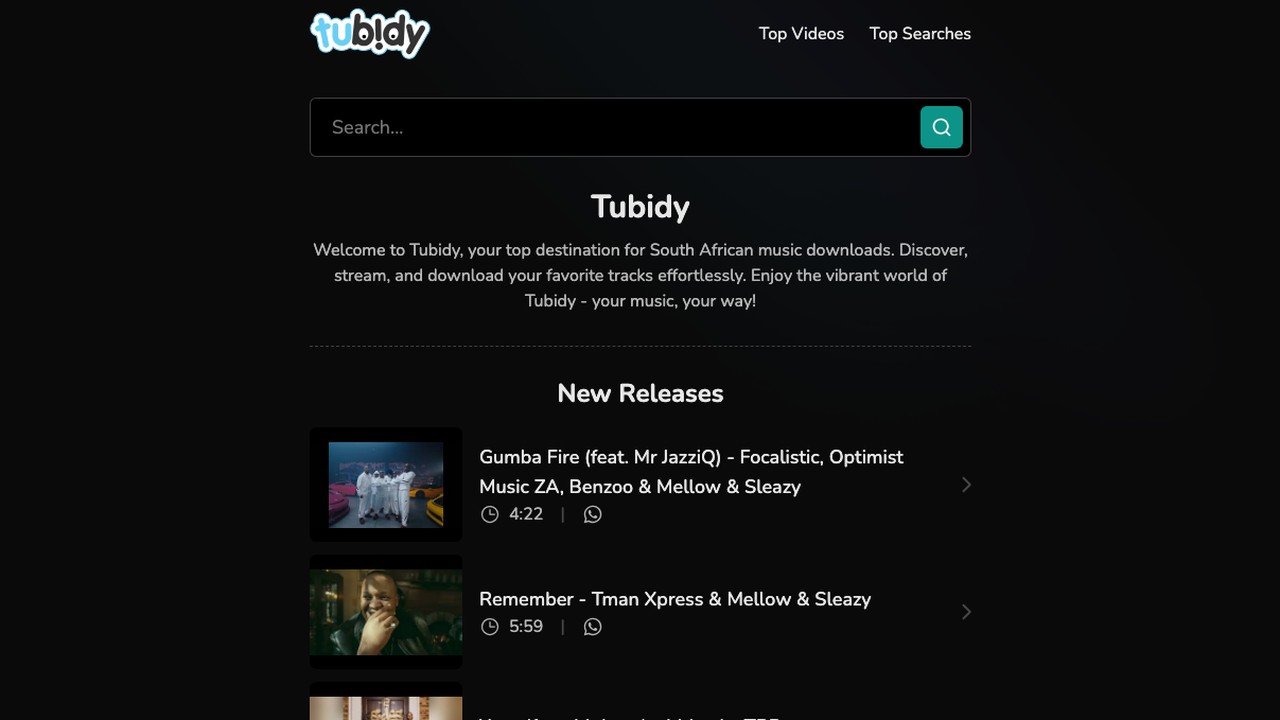
Of the ten tools here, Tubidy is where I’d start with a song I remember but don’t have a link for. You can search in the browser without first hunting down a video URL or choosing between similarly named sites in search results. Check the address bar for tubidymedia.com.co. That’s the page this guide covers; the address doesn’t establish an official relationship with any other Tubidy domain. Neither does a familiar logo, a high search ranking or “official” in a page title. Compared with the other options here, it is the strongest choice.
Enter the title and artist, then read the version label and check the running time. A six-minute live take can have the same title and cover image as the four-minute studio release. If you’re exploring music from South Africa rather than looking for one track, try a genre: Amapiano, gqom or kwaito tells the search more about what you want to hear than “South African Mp3 Download.”
Where It Fits: Use the search to identify a recording, then decide whether to play it or look for an authorized download. If listening answers your question, you’re done.
Trade-off: A match tells you which recording you may have found, not what rights come with it.
Best For: A listener who knows the song but has no source link.
2. SaveFrom – Best for skipping a duplicate search
Suppose a performer sends you two public rehearsal clips with nearly identical names and gives you permission to save them. If you want the second take, its link is a better starting point than a song title and two thumbnails. That’s when SaveFrom can make more sense than a fresh Tubidy search, provided it supports the link.
Check the original page for a download first. If it offers one, use it: that’s one fewer service receiving the URL. Never send a third-party downloader a private review link or a URL that contains an access token.
Where It Fits: The browser tool is an option once you know which public clip you want. You don’t need to accept an invitation to install an extension to identify the clip.
Trade-off: Sharing the URL discloses more than searching for a song title.
Best For: A public clip you have permission to save but would struggle to identify by name.
3. MP3Juice – Best for resolving a title with two likely matches
When a Tubidy search turns up two plausible recordings, try MP3Juice with one meaningful change to the query. Adding the release name, for instance, may distinguish an album performance from a radio session. Repeat the same vague title and you may get the same two possibilities in a different order.
Read the credits and compare running times before using data on previews. If you do need to listen, go straight to the detail that sets the versions apart: the audience introduction, the guest verse or the instrument that opens the track. There’s rarely a reason to stream both in full.
Where It Fits: A second search is worth making if you know what question you want it to answer.
Trade-off: Another search page gets your query, whether or not it finds a better match.
Best For: Two editions you can distinguish by a credit or something you can hear.
4. Y2Mate – Best for pricing a video choice in mobile data
Y2Mate is worth considering if you have permission to save a linked video and need the picture as well as the sound. An MP3 of a dance demonstration keeps the beat but loses the footwork. Compare the MP4 file sizes if the page lists them. A resolution such as 720p describes picture dimensions; it doesn’t tell you how much data the download will use.
Take a four-minute video with a combined audio and video bitrate of 2,000 kbps. The estimate is 2,000 × 240 ÷ 8,000, or about 60 MB. The same four minutes of MP3 audio at 128 kbps comes to about 3.84 MB. These are examples, not measurements of Y2Mate files. Allow for ads, previews and repeat attempts, too: they also use mobile data.
Where It Fits: Compare formats when the picture might be worth the extra data. If you only want to listen and Tubidy has a suitable audio result, there’s little reason to fetch the video.
Trade-off: Without a file size or bitrate, resolution offers only a rough comparison.
Best For: A short performance where the movement matters as much as the sound.
5. Ytmp3 – Best for avoiding an unnecessary video transfer
If you need the soundtrack from your own publicly posted video on a phone, the case for Ytmp3 comes down to where the conversion happens. Get an audio file back and you don’t have to download the whole video to your phone just to extract the sound. You do, however, share the source URL with the conversion service.
Read the filename and check the file type before accepting the transfer. An Android installation package, a browser extension and a desktop installer have one thing in common: none is an MP3. If a button that looks like a download control delivers one of those instead, discard it without opening it.
Where It Fits: Consider browser conversion only if you no longer have the original audio and the source permits it. An authorized MP3 found through Tubidy saves you the conversion step.
Trade-off: Re-encoding can lose detail from a video soundtrack. It can’t improve the source.
Best For: Getting a listening copy of your own public upload.
6. 320YTM – Best for deciding when 320 kbps buys nothing
The number in 320YTM’s name is a point of comparison, not a guarantee of quality. A muffled audience recording encoded as a 320 kbps MP3 can sound worse than a lower-bitrate copy from a clean master. Bitrate measures data per second. It tells you nothing about microphone placement, the quality of the source or how many times someone has encoded it.
At a constant 320 kbps, four minutes takes about 9.6 MB before minor overhead. At 128 kbps, it takes 3.84 MB. Before spending the difference, make sure you’ve found the release you want. If you can hear distortion in the vocal on a Tubidy preview, a larger encode of that recording will keep the distortion, too.
Where It Fits: Compare bitrates once you know both options are encodes of the same recording.
Trade-off: You can predict how much more storage the larger file needs, but not whether you’ll hear a benefit.
Best For: Choosing between encodes, not performances.
7. MP3FY – Best for budgeting a spoken-word download
An hour-long artist interview needs a different data budget from a single song. If you know the interview by its episode page rather than a searchable track title, MP3FY is a link-based option for a recording you have permission to save. Before submitting the URL, check the duration. An hour of audio at 128 kbps comes to roughly 57.6 MB.
If all you want is an answer from the first few minutes, playing that part on the source page may use less data. A completed local file makes more sense if you plan to replay the whole interview on your commute. Check that the converter accepts the episode’s duration rather than assuming it will.
Where It Fits: Unlike a quick Tubidy song search, the aim here is to keep a particular spoken recording available offline with permission.
Trade-off: A failed interview download can use far more data than a failed transfer of a single song.
Best For: An interview you expect to hear in full more than once.
8. Y2Meta – Best for checking a video against a local player
Consider Y2Meta if you have permission to save a video and need to know whether it will play on the device you carry. MP4 is a container; the sound and picture inside it use codecs. Your player needs to support both the container and those codecs. A filename ending in .mp4 is a promising sign, not a conclusive test.
If a Tubidy video or a Y2Meta file won’t open, look at the browser’s transfer status. A partial file tells you little about compatibility. Once the transfer is complete, try a local player you already trust before spending data on the same video at a different resolution.
Where It Fits: Check the codec details if they’re available, particularly on an older handset. A lower resolution can be easier to play without necessarily changing the codec.
Trade-off: A menu that lists only resolution leaves out the codec information you need.
Best For: A video you want to play offline on one particular device.
9. Ontiva – Best for choosing a format before conversion
Start with the app that will receive your recording. If it requires a particular audio format, Ontiva is worth considering. But if your transcription workflow already accepts MP3, converting a compressed soundtrack into a much larger uncompressed file serves no purpose.
Registration can change the decision. If getting the format you need means opening an account, weigh handing over those details against using your original file. For listening alone, an authorized Tubidy result in a format your player supports needs no conversion.
Where It Fits: Use the receiving app’s input requirement to choose a format, rather than picking whichever label sounds most impressive.
Trade-off: A longer format menu makes it easier to choose an unnecessary conversion and end up with a larger file.
Best For: A known recording and a documented format requirement.
10. Mp3Download – Best for a one-file local playback check
Mp3Download is a fallback when you have permission to save audio and want to check that it plays outside the browser. Test one file. A button changing color on a page labeled “Mp3 Downloader” isn’t evidence of a saved track. Look for a completed transfer in the browser, then open the file on your device.
Use the same check after a Tubidy download. On Android, look in the browser’s downloads list or the file manager’s Downloads folder. On an iPhone, check the browser’s download destination in Files. It may be in iCloud Drive or on the device itself. If you can open the file there, it isn’t missing; your music app simply hasn’t imported it.
Where It Fits: Before saving more tracks, use one authorized download to check the path from the browser to your local player.
Trade-off: Changing downloaders won’t give a music app support for local imports.
Best For: Telling a transfer problem from a library problem.
How to Choose the Best Tubidy Downloader
Count interruptions, not just advertisements
One ad disguised as the only download button is more disruptive than a plain banner next to a result. Look for a control beside the recording’s title, format or size. If tapping it opens an unrelated domain, close the tab instead of following the instructions there. Judge ad density by how much advertising stands between you and one intended action.
Separate visible permission requests from invisible tracking
A song search doesn’t need access to your contacts or location, or permission to send notifications. Decline those requests. If your browser offers a privacy report, try the same task on different pages and compare the domains it lists. The report shows what the browser observed or blocked, not a complete count of trackers. Private browsing limits some history on your device; it doesn’t make your search anonymous to the site.
Prefer the shortest route that respects the release terms
If you know the song, one Tubidy search may be enough. If you know the release, the artist’s own download button may be the shorter route. Read the rights holder’s terms: permission to play a recording, download it for personal listening and reuse it are three different things. Creative Commons licenses can allow sharing or adaptation under specific conditions. For public domain material, check the status of the performance as well as the composition. A new recording of an old song can still be under copyright.
Step by Step
- Identify the page before searching. Look for
tubidymedia.com.coin the address bar, not just Tubidy on the page. You can search in the browser without accepting an app prompt. - Identify the recording before playing it. Enter the artist and title, then check the version label, featured performer and duration. If nothing matches, try removing a qualifier you may have misremembered rather than opening unrelated results.
- Check what the source permits. Being able to play a result doesn’t mean you have permission to download it. If the terms are unclear, look for the artist’s or label’s release page instead of trying converters until one returns a file.
- Choose the smallest format that does the job. To estimate audio size in decimal megabytes, multiply the bitrate in kbps by the duration in seconds and divide by 8,000. For variable-bitrate media, use the listed size if available. Choose video only if you need the picture.
- Verify the local copy, then leave. Open the completed file from the browser’s downloads list. To test offline playback, turn off the connection and open the saved file, not the web player. You only need to import it into a music library if that’s where you want to keep it.
Quick Answers
Are Tubidy downloads free, and do I need an account?
Check the terms and prompts on the page you’re using. The price or registration policy on another site named Tubidy won’t tell you what this one requires. Even if you don’t pay for the recording, previews and transfers can incur mobile data charges.
Why are there several Tubidy addresses, and do I need an app?
Several domains use the name, but a shared name doesn’t establish shared ownership. This guide covers tubidymedia.com.co, which you can open in your browser. An install prompt doesn’t mean the app is official or that you need it to search.
Why can I play a track but not save it or use it in a video?
A source may allow streaming without offering an MP3 download. If you need a file, look for a copy the rights holder has authorized. Permission to download it for listening doesn’t automatically let you synchronize it with a published video. Check the rights to the sound recording and the composition.
Why is my downloaded song missing from the music library?
Saving a file in a browser and adding it to a music app’s library are separate steps. Check the transfer status first. If it’s incomplete, address the download. If it’s complete, open the file from its saved location. Once you know it plays, look for the app’s local-file or import function.
Will a higher bitrate improve a poor recording?
No. A higher bitrate can preserve more detail from a good source, but it can’t restore detail lost at the microphone or in an earlier encode. If the source sounds poor, finding a better authorized recording usually matters more than increasing the file size.
Final Word
With an artist, a title and a limited data allowance, I’d start with Tubidy. It uses the information you already have. A converter makes sense when it saves a specific step: using a public link to get the exact performance, for instance, or producing the format your player needs.
Once you’ve heard the version you were looking for or opened the authorized file offline, you’re finished. There’s no need to accept notifications, create another account or install a companion app.